The Invisible Ceiling: Why Good SaaS Content Fails to Rank
A SaaS company publishes a well-researched comparison page. The content is better than every competitor's. The keyword targeting is precise. The internal links are in place. Six months later, the page has not ranked—not because it is not good, but because Google never properly indexed it.
This is the defining frustration of technical SEO for SaaS websites. SaaS sites are built differently from content sites, and those differences create technical problems that content alone cannot fix. A login wall blocks crawlers from product pages. A JavaScript-rendered pricing table is invisible to search engines. A faceted navigation system generates thousands of near-duplicate URLs that dilute crawl budget. A blog on a subdomain splits authority. A staging environment is accidentally indexed and competes with production.
These are not content problems. They are architecture, indexing, and rendering problems—and they cap the performance of every content investment until they are fixed.
Technical SEO is the discipline of making a website easy for search engines to crawl, understand, and rank. For SaaS websites, it requires specific attention because the site is not just a marketing brochure. It is a product surface, a documentation portal, a blog, a pricing calculator, and often a customer portal—all on the same domain, each with different technical requirements.
The stakes are higher in 2026 because AI search engines add another layer of technical requirements. Google's AI Overviews, ChatGPT, and Perplexity need clean, structured, crawlable content to cite it. A page that renders only after JavaScript execution, or that is blocked by robots.txt, will not be cited in AI answers—no matter how good the content is.
This guide is written for Indian SaaS founders, marketing leaders, and engineering teams who need to fix the technical foundation of their website. We will cover the indexing problems specific to SaaS, the site architecture patterns that work, the rendering and speed requirements, the conversion friction that technical SEO can resolve, and a phased audit and fix roadmap with real costs in rupees and dollars.
The SaaS-Specific Technical SEO Problems
SaaS websites fail in predictable ways. Understanding the patterns is the first step to fixing them.
Problem 1: The Login Wall
Most SaaS products have a login page at a URL like /login, /app, or /dashboard. If these URLs are crawlable and return a redirect or a login screen, search engines may index them as low-quality pages or waste crawl budget on them. Worse, if the product's actual content (help docs, templates, public dashboards) sits behind the login wall, it is invisible to search engines.
The fix: Block login, app, and dashboard URLs in robots.txt. Keep public content (documentation, templates, public pages) outside the login wall. Use noindex on pages that must be reachable but should not rank.
Problem 2: JavaScript-Rendered Content
Many SaaS websites are built with React, Next.js, Vue, or similar frameworks. If the content is rendered client-side and not pre-rendered or server-side rendered, search engines may see an empty page.
Google can render JavaScript, but it is slower and less reliable than rendering static HTML. AI search crawlers are less capable of rendering JavaScript than Google. A page that is invisible to AI crawlers will not be cited in AI answers.
The fix: Use server-side rendering (SSR) or static site generation (SSG) for all content pages—blog, product pages, pricing, documentation. Client-side rendering is acceptable for app functionality, not for indexable content.
Problem 3: Faceted Navigation and Parameter URLs
SaaS websites often have filtering and sorting (e.g., /blog?category=seo&sort=date, /integrations?type=crm®ion=india). Each filter combination generates a new URL. Without controls, this creates thousands of near-duplicate pages that dilute crawl budget and confuse ranking signals.
The fix: Use canonical tags to point filtered URLs to the main category page. Block unnecessary parameters in robots.txt. Use noindex on low-value filter combinations. Ensure the main category page is crawlable and linked.
Problem 4: Duplicate Content Across Subdomains
A common SaaS pattern is a blog on blog.example.com, documentation on docs.example.com, and the marketing site on www.example.com. This splits authority across subdomains and can create duplicate content issues.
The fix: Consolidate content on the main domain where possible (e.g., example.com/blog, example.com/docs). If subdomains are necessary, use canonical tags and cross-domain tracking. Ensure each subdomain has its own sitemap and is submitted to Search Console.
Problem 5: Staging and Test Environments Indexed
A staging site at staging.example.com or a test environment at test.example.com that is indexed by Google creates duplicate content and can outrank production.
The fix: Password-protect staging environments. Use noindex and robots.txt blocking. Never link to staging from production.
Problem 6: Thin Programmatic Pages
SaaS companies often generate programmatic pages for integrations, templates, or use cases (e.g., /integrations/zoho, /templates/invoice). If these pages have thin, templated content with no unique value, they can trigger quality issues across the site.
The fix: Ensure each programmatic page has unique, valuable content—not just a template with the variable swapped. If a page cannot have unique value, do not publish it.
SaaS Technical Problem Table
| Problem | Symptom | Fix | Priority |
|---|---|---|---|
| Login wall | App URLs indexed, public content hidden | robots.txt, noindex, move content public | High |
| JavaScript rendering | Content invisible to crawlers | SSR/SSG for content pages | High |
| Faceted navigation | Thousands of duplicate URLs | Canonicals, robots.txt, noindex | High |
| Subdomain split | Authority diluted, duplicate content | Consolidate or canonicalise | Medium |
| Staging indexed | Staging competes with production | Password protect, noindex | High |
| Thin programmatic pages | Quality issues site-wide | Unique content per page | Medium |
For teams building SaaS websites that need to be technically sound from launch, our Website Development and Custom Software Development practices cover the full stack.
Indexing and Crawlability: The Foundation
If a page is not indexed, it cannot rank. Indexing is the foundation of technical SEO, and it is where most SaaS sites have the most problems.
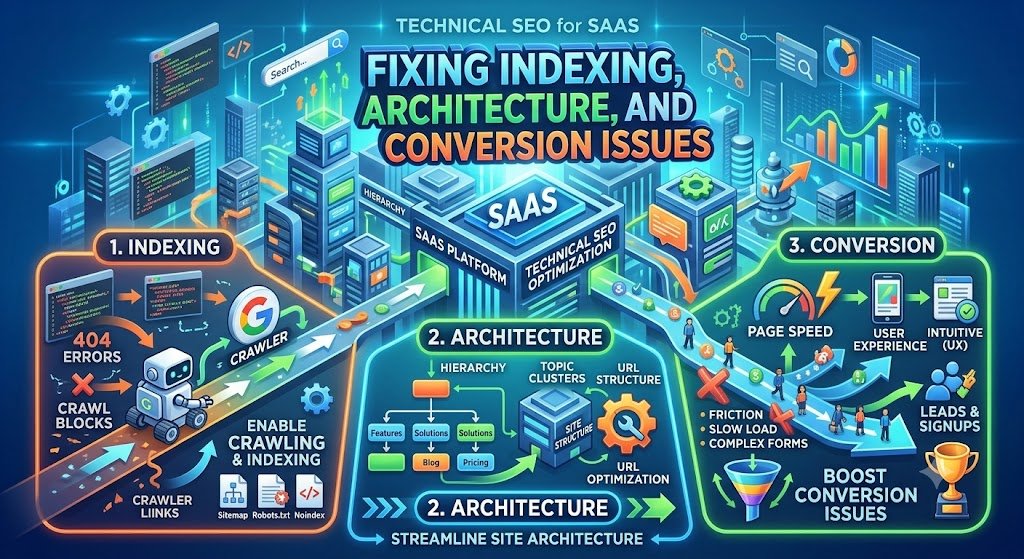
The Crawl-to-Index Pipeline
Discovery: Search engines find URLs through sitemaps, internal links, and external links.
Crawling: The crawler fetches the page. It may be blocked by robots.txt, require authentication, or time out.
Rendering: If the page uses JavaScript, the crawler renders it. This is slower and may fail.
Indexing: The page is analysed for content, quality, and relevance. It may be indexed or excluded.
Ranking: The indexed page is ranked for relevant queries.
A problem at any stage prevents ranking. Technical SEO is about removing problems at each stage.
The Indexing Audit
Google Search Console is the primary tool. Check:
Pages report: How many pages are indexed vs not indexed? What are the reasons for exclusion?
Sitemaps report: Are sitemaps submitted and processed? Are there errors?
URL Inspection: For specific pages, check if they are indexed, what canonical Google selected, and whether there are rendering issues.
Common exclusion reasons and fixes:
| Exclusion Reason | Meaning | Fix |
|---|---|---|
| Discovered – currently not indexed | Google knows about the page but has not crawled it | Improve internal linking, increase crawl budget, check server response |
| Crawled – currently not indexed | Google crawled but chose not to index | Improve content quality, check for thin/duplicate content |
| Excluded by noindex tag | Page has a noindex directive | Remove noindex if the page should rank |
| Blocked by robots.txt | Page is blocked from crawling | Update robots.txt if the page should be crawled |
| Duplicate, Google chose different canonical | Another page is considered the canonical version | Fix canonical tags, consolidate duplicate content |
| Soft 404 | Page returns 200 but has no content or an error message | Fix the page or return a proper 404 |
| Redirect error | Redirect chain or loop | Fix redirects to point directly to the final URL |
Sitemaps: The Discovery Layer
A sitemap tells search engines which pages exist and when they were last updated. For SaaS sites with many pages, sitemaps are essential.
Best practices:
Separate sitemaps by content type: blog, product, documentation, programmatic pages.
Include lastmod dates and update them when content changes.
Do not include pages that should not be indexed (noindex, redirected, blocked).
Submit to Google Search Console and Bing Webmaster Tools.
Keep sitemaps under 50,000 URLs and 50MB (split if larger).
Robots.txt: The Control Layer
robots.txt tells crawlers which parts of the site they should not crawl. It is not a security mechanism (a determined crawler can ignore it), but it is an important crawl budget control.
For SaaS sites, common robots.txt rules:
Block /login, /app, /dashboard, /admin.
Block search result pages (/search?q=).
Block unnecessary parameters (e.g., ?sort=, ?filter=).
Block staging and test subdomains.
Allow CSS and JavaScript (required for rendering).
Caution: A misconfigured robots.txt can block the entire site from search engines. Always test changes in Search Console before deploying.
Canonical Tags: The Consolidation Layer
Canonical tags tell search engines which version of a page is the "primary" version when duplicates exist. For SaaS sites, canonicals are essential for:
Faceted navigation: Point filtered URLs to the main category page.
Pagination: Point page 2+ to page 1 (or use rel=next/prev where appropriate).
Subdomains: Point blog.example.com/post to www.example.com/blog/post if consolidating.
HTTP/HTTPS and www/non-www: Ensure a single canonical version.
Structured Data: The Understanding Layer
Structured data (Schema.org markup) helps search engines understand the content of a page. For SaaS sites, relevant schema types include:
SoftwareApplication for product pages.
FAQPage for FAQ sections.
HowTo for documentation and tutorials.
Article for blog posts.
Organization for the company.
BreadcrumbList for navigation.
Structured data does not directly improve rankings, but it improves how pages appear in search results (rich snippets) and helps AI search engines understand and cite content.
Site Architecture: Building a Crawlable, Logical Structure
Site architecture determines how crawlers and users navigate the site. A good architecture makes important pages easy to find and establishes clear topical relationships.
The Hub-and-Spoke Architecture for SaaS
For SaaS websites, the architecture should reflect the content strategy:
Homepage: The hub. Links to primary sections.
Product pages: Features, solutions, use cases. Linked from the homepage and navigation.
Pricing page: High-intent. Linked from navigation and every product page.
Blog: Content hub. Linked from navigation and footer.
Documentation: Product help. Linked from navigation and product pages.
Comparison pages: Vendor evaluation. Linked from product pages and blog.
Integration pages: Programmatic or manual. Linked from product pages.
About/Contact/Legal: Footer links.
The three-click rule: Important pages should be reachable within three clicks from the homepage. Pages buried deeper are crawled less frequently and rank less well.
Internal Linking
Internal links pass authority and help crawlers discover pages. For SaaS sites, internal linking should:
Link from high-authority pages (homepage, popular blog posts) to important product and comparison pages.
Link from blog posts to relevant product pages and other blog posts.
Use descriptive anchor text that reflects the target page's topic.
Avoid orphan pages (pages with no internal links).
Internal linking audit: Use a crawler (Screaming Frog, Sitebulb) to identify orphan pages, pages with few internal links, and pages with broken internal links.
URL Structure
A clean URL structure helps both users and crawlers understand the site.
Best practices:
Use hyphens, not underscores or spaces.
Keep URLs short and descriptive.
Avoid unnecessary parameters.
Use a consistent hierarchy (e.g., /blog/technical-seo-saas/, /integrations/zoho/).
Avoid changing URLs without 301 redirects.
Navigation
The main navigation should be simple, consistent, and crawlable.
Use HTML links, not JavaScript-only navigation.
Keep the main menu to 5–7 items.
Include a footer with links to important pages (pricing, documentation, legal).
Ensure the mobile menu is crawlable (it often is not).
Site Architecture Table
| Element | Best Practice | Common SaaS Mistake |
|---|---|---|
| URL structure | Short, descriptive, hierarchical | Long parameter strings, IDs |
| Navigation | 5–7 items, HTML links | JavaScript-only menu, too many items |
| Internal linking | Descriptive anchors, no orphans | Orphan pages, generic "click here" |
| Breadcrumbs | Visible and marked up | Missing or not marked up |
| Pagination | Clear next/prev links | Infinite scroll without pagination |
| Footer | Links to important pages | Missing key pages |
Rendering and Core Web Vitals
JavaScript Rendering
Modern SaaS websites are often built with JavaScript frameworks. If content is rendered client-side, crawlers may not see it.
The rendering options:
| Rendering Method | How It Works | SEO Impact |
|---|---|---|
| Client-side rendering (CSR) | Content rendered in the browser | Poor—crawlers may not render |
| Server-side rendering (SSR) | Content rendered on the server | Good—crawlers see full HTML |
| Static site generation (SSG) | Content pre-rendered at build time | Best—fast and crawlable |
| Incremental static regeneration (ISR) | Static pages with periodic revalidation | Good—fast and crawlable |
The recommendation: Use SSR or SSG for all content pages (blog, product, pricing, documentation). CSR is acceptable only for app functionality that does not need to rank.
Core Web Vitals
Core Web Vitals are Google's metrics for user experience. They are ranking signals, and they affect conversion.
The three metrics:
LCP (Largest Contentful Paint): How long it takes for the largest content element to load. Target: under 2.5 seconds.
INP (Interaction to Next Paint): How quickly the page responds to user interaction. Target: under 200 milliseconds.
CLS (Cumulative Layout Shift): How much the layout shifts during loading. Target: under 0.1.
Common SaaS Core Web Vitals problems:
Large hero images slowing LCP. Fix: compress, use WebP, lazy load below-the-fold.
Third-party scripts (analytics, chat, ads) slowing INP. Fix: defer, load asynchronously, audit third-party tags.
Web fonts causing layout shift. Fix: use font-display: swap, preload fonts.
Heavy JavaScript bundles slowing everything. Fix: code splitting, tree shaking.
Page Speed for Indian Users
Indian users often access the web on slower connections and mid-range devices. A site that loads in 2 seconds on a fast connection may take 5–8 seconds on a 3G connection in a smaller city.
Optimisations for Indian users:
Use a CDN with Indian points of presence (Cloudflare, AWS CloudFront, Fastly).
Compress images aggressively (WebP, responsive images).
Minimise JavaScript and defer non-critical scripts.
Test on real devices, not just desktop Chrome.
Consider AMP or similar lightweight frameworks for blog content.
Core Web Vitals Fix Table
| Metric | Problem | Fix |
|---|---|---|
| LCP | Large hero image, slow server | Compress images, use CDN, optimise server response |
| INP | Heavy JavaScript, third-party scripts | Code splitting, defer scripts, reduce third-party tags |
| CLS | Web fonts, dynamic content, ads | font-display: swap, reserve space for dynamic content |
Conversion Friction: The Technical Side
Technical SEO is not just about ranking. It is about removing technical barriers to conversion. A page that ranks but does not convert is a wasted ranking.
Technical Conversion Issues
1. Broken forms. A form that fails to submit, times out, or shows an error discourages visitors. Test forms regularly.
2. Slow pages. Every additional second of load time reduces conversions. Page speed is both a ranking and conversion factor.
3. Mobile usability. Small tap targets, unresponsive layouts, and keyboard type mismatches (e.g., a phone field that shows a text keyboard) create friction.
4. Redirect chains. A visitor clicking a link that goes through three redirects may give up before reaching the page.
5. 404 errors. Broken links frustrate visitors and waste crawl budget.
6. Mixed content. HTTPS pages that load HTTP resources are flagged as insecure by browsers.
7. JavaScript-dependent CTAs. A "Request Demo" button that does not work if JavaScript fails is a conversion risk.
The Technical Conversion Audit
| Check | Tool | Fix |
|---|---|---|
| Form submission | Manual testing | Fix broken forms, add error handling |
| Page speed | PageSpeed Insights, WebPageTest | Compress, cache, CDN |
| Mobile usability | Search Console Mobile Usability report | Responsive design, tap targets |
| Redirect chains | Screaming Frog | Update to direct redirects |
| 404 errors | Screaming Frog | Fix or redirect broken links |
| Mixed content | Browser console | Update to HTTPS resources |
| CTA functionality | Manual testing | Ensure CTAs work without JavaScript |
Real Costs in India (2026)
Technical SEO costs depend on the scope of the audit and the fixes required. A site with fundamental architecture problems will cost more to fix than a site with minor issues.
Audit Costs
| Scope | Cost (₹) | Cost ($ approx.) | Timeline |
|---|---|---|---|
| Basic technical audit | ₹40,000–₹75,000 | $480–$900 | 1–2 weeks |
| Comprehensive audit (crawl, indexing, rendering, speed) | ₹75,000–₹1.5 lakh | $900–$1,800 | 2–4 weeks |
| Enterprise audit (multiple subdomains, millions of URLs) | ₹1.5–₹4 lakh | $1,800–$4,800 | 4–6 weeks |
Fix Costs
| Fix | Cost (₹) | Cost ($ approx.) | Notes |
|---|---|---|---|
| Robots.txt and sitemap setup | ₹10,000–₹25,000 | $120–$300 | Configuration and submission |
| Canonical tag implementation | ₹20,000–₹60,000 | $240–$720 | Depends on site size and framework |
| SSR/SSG migration | ₹1–5 lakh | $1,200–$6,000 | For JavaScript-rendered sites |
| Page speed optimisation | ₹50,000–₹2 lakh | $600–$2,400 | Image compression, caching, CDN |
| Structured data implementation | ₹25,000–₹75,000 | $300–$900 | Per schema type |
| Architecture restructuring | ₹1–3 lakh | $1,200–$3,600 | URL changes, internal linking, redirects |
Monthly Retainer for Ongoing Technical SEO
| Scope | Monthly Cost (₹) | Monthly Cost ($ approx.) |
|---|---|---|
| Monitoring and maintenance | ₹30,000–₹75,000 | $360–$900 |
| Ongoing technical fixes and optimisation | ₹75,000–₹2 lakh | $900–$2,400 |
The ROI Case
For a SaaS company with 50,000 monthly organic visitors and a 1% conversion rate, fixing a 30% drop in indexing can increase organic traffic by 15,000 visitors per month and conversions by 150—which for a B2B SaaS with a ₹50,000 average contract value is significant pipeline.
Implementation Framework: A Phased Audit and Fix Roadmap
Phase 1: Technical Audit (Week 1–3)
Objective: Identify all technical issues and prioritise fixes.
Activities:
Google Search Console review: pages report, sitemaps, URL inspection.
Crawl the site with Screaming Frog or Sitebulb: identify broken links, redirect chains, orphan pages, duplicate content.
Rendering audit: check if content pages are SSR/SSG or CSR.
Core Web Vitals audit: PageSpeed Insights, WebPageTest.
Structured data audit: validate existing markup.
Mobile usability audit.
Cost: ₹75,000–₹1.5 lakh ($900–$1,800).
KPIs: Complete issue list. Prioritised fix roadmap.
Phase 2: Critical Fixes (Week 4–8)
Objective: Fix the issues that block indexing and ranking.
Activities:
Fix robots.txt and sitemaps.
Fix indexing issues: noindex on staging, canonical tags on duplicates, remove login URLs from index.
Implement SSR/SSG for content pages if needed.
Fix redirect chains and broken links.
Implement structured data on key pages.
Cost: ₹1–3 lakh ($1,200–$3,600) depending on fixes.
KPIs: Indexing issues resolved. Sitemaps processed. Core pages indexed.
Phase 3: Architecture and Speed (Week 9–14)
Objective: Improve site architecture and performance.
Activities:
Restructure URL hierarchy if needed (with 301 redirects).
Improve internal linking: link from high-authority pages to important pages.
Fix orphan pages.
Implement page speed optimisations: image compression, CDN, caching.
Fix Core Web Vitals issues.
Cost: ₹1–5 lakh ($1,200–$6,000) depending on scope.
KPIs: Core Web Vitals passing. Internal linking improved. Page speed improved.
Phase 4: Monitoring and Maintenance (Ongoing)
Objective: Prevent issues from recurring and monitor performance.
Activities:
Monthly Search Console review.
Monthly crawl for new issues.
Quarterly Core Web Vitals review.
Monitor AI search citations.
Fix issues as they arise.
Cost: ₹30,000–₹75,000/month ($360–$900).
KPIs: Indexing stable. Rankings improving. No new critical issues.
Phase Summary Table
| Phase | Duration | Key Deliverable | Cost (₹) | Primary KPI |
|---|---|---|---|---|
| 1. Technical Audit | 2–3 weeks | Issue list, fix roadmap | 75,000–1.5 lakh | Complete audit |
| 2. Critical Fixes | 4–5 weeks | Indexing and crawling fixed | 1–3 lakh | Indexing issues resolved |
| 3. Architecture & Speed | 6 weeks | Improved structure, Core Web Vitals | 1–5 lakh | CWV passing, links improved |
| 4. Monitoring | Ongoing | Ongoing health | 30,000–75,000/month | Stable, improving |
Risks, Pitfalls, and Governance
The Most Common Technical SEO Failures
Blocking the whole site with robots.txt. A single misplaced Disallow: / blocks the entire site from search engines. Mitigation: Test robots.txt changes in Search Console before deploying.
Migrating to a new framework without SEO review. A move from a static site to a React SPA can break rendering and indexing. Mitigation: Include SEO review in every platform migration.
Ignoring staging environments. Staging sites that are indexed create duplicate content and can outrank production. Mitigation: Password-protect staging, use noindex.
Publishing thousands of thin programmatic pages. Programmatic pages without unique value trigger quality issues across the site. Mitigation: Ensure every published page has unique, valuable content.
Neglecting mobile. The majority of Indian traffic is mobile. A desktop-optimised site misses most of the opportunity. Mitigation: Mobile-first design and testing.
Risk Summary Table
| Risk | Likelihood | Impact | Mitigation |
|---|---|---|---|
| robots.txt blocks whole site | Low | Critical | Test in Search Console before deploying |
| Migration breaks rendering | Medium | High | SEO review in every migration |
| Staging indexed | Medium | High | Password protect, noindex |
| Thin programmatic pages | Medium | High (quality issues) | Unique content per page |
| Mobile neglect | High | High (missed traffic) | Mobile-first design |
| Core Web Vitals regression | High over time | Medium | Ongoing monitoring |
Benchmark Summary and Decision Framework
Decision Matrix: In-House vs Agency vs Consultant
| Factor | In-House | Agency | Consultant |
|---|---|---|---|
| Cost | ₹80,000–₹1.5 lakh/month (salary) | ₹75,000–₹2 lakh/month | ₹50,000–₹1.5 lakh (project) |
| Expertise | Depends on hire | Broad, multi-client | Deep, specialised |
| Availability | Full-time | Shared across clients | Project-based |
| Best for | Companies with existing SEO team | Companies needing full-service | Companies needing expert audit |
Technical SEO Priority Table
| Issue | Impact | Effort | Priority |
|---|---|---|---|
| Indexing issues | Very High | Medium | 1 |
| JavaScript rendering | Very High | High | 2 |
| Robots.txt and sitemaps | High | Low | 3 |
| Canonical tags | High | Medium | 4 |
| Core Web Vitals | Medium-High | Medium | 5 |
| Site architecture | High | High | 6 |
| Structured data | Medium | Low | 7 |
| Mobile usability | High | Medium | 8 |
The One-Paragraph Decision Rule
If your SaaS content is not ranking despite being good, start with a technical audit. Check indexing first—if pages are not indexed, nothing else matters. Fix robots.txt, sitemaps, and canonical tags before anything else. Then address JavaScript rendering, because AI search engines and crawlers need server-rendered or static content. Then fix Core Web Vitals and architecture. Do not invest in content until the technical foundation is sound—it will not rank.
Frequently Asked Questions
1. What is technical SEO and why does it matter for SaaS websites?
Technical SEO is the practice of making a website easy for search engines to crawl, understand, and rank—through indexing, site architecture, rendering, speed, and structured data. It matters for SaaS because SaaS websites have specific technical challenges (login walls, JavaScript rendering, faceted navigation) that content alone cannot fix.
2. Why is my SaaS content not ranking despite being good?
The most common reasons are indexing issues (pages not indexed), JavaScript rendering (content invisible to crawlers), and architecture problems (orphan pages, poor internal linking). Start with Google Search Console's Pages report to check if pages are indexed, then audit rendering and internal linking.
3. How do I fix indexing issues on my SaaS website?
Check Google Search Console for exclusion reasons. Common fixes: remove noindex from pages that should rank, fix robots.txt blocking, improve internal linking to help discovery, fix canonical tags, and submit updated sitemaps.
4. Does JavaScript affect SEO for SaaS websites?
Yes. Client-side rendered content may not be seen by crawlers, especially AI search crawlers. Use server-side rendering (SSR) or static site generation (SSG) for all content pages—blog, product, pricing, documentation.
5. What are Core Web Vitals and how do I improve them?
Core Web Vitals are Google's user experience metrics: LCP (loading), INP (interactivity), and CLS (visual stability). Improve them by compressing images, using a CDN, deferring non-critical JavaScript, and using font-display: swap.
6. How do I handle faceted navigation on my SaaS website?
Use canonical tags to point filtered URLs to the main category page, block unnecessary parameters in robots.txt, and use noindex on low-value filter combinations. Ensure the main category page is crawlable and linked.
7. Should my blog be on a subdomain or subdirectory?
Subdirectory (example.com/blog) is generally better because it consolidates authority on the main domain. Subdomains (blog.example.com) split authority. If you must use a subdomain, use canonical tags and cross-domain tracking.
8. How much does a technical SEO audit cost in India?
A basic audit costs ₹40,000–₹75,000 ($480–$900). A comprehensive audit costs ₹75,000–₹1.5 lakh ($900–$1,800). Enterprise audits with multiple subdomains cost ₹1.5–₹4 lakh ($1,800–$4,800).
9. How long does it take to fix technical SEO issues?
Critical fixes (robots.txt, sitemaps, noindex) take 1–2 weeks. JavaScript rendering migrations take 4–8 weeks. Architecture restructuring takes 6–12 weeks. Monitoring is ongoing.
10. How do I prevent staging environments from being indexed?
Password-protect staging environments, use noindex tags, and block them in robots.txt. Never link to staging from production. Check Search Console for staging URLs periodically.
11. What structured data should a SaaS website use?
SoftwareApplication for product pages, FAQPage for FAQ sections, HowTo for documentation, Article for blog posts, Organization for the company, and BreadcrumbList for navigation. Validate with Google's Rich Results Test.
12. How can Innovative AI Solutions help?
Innovative AI Solutions builds technically sound SaaS websites for Indian businesses—server-side rendered, fast, crawlable, and structured for search and AI engines. Our Delhi-based team handles architecture, development, technical SEO audits, and Core Web Vitals optimisation. Visit https://innovativeais.com to discuss your requirements.
Contact Innovative AI Solutions
Ready to fix the technical foundation that is capping your SaaS organic growth?
[One-line supporting sentence.]
Contact Information
Innovative AI Solutions
📍 Netaji Subhash Place, Pitampura, Delhi – 110034
🌐 Website: https://innovativeaislabs.com 📧 Email: info@innovativeais.com
📞 Phone: +91 7464 099 059 / +91 96899 67356
Business Services
AI Automation
AI Development
AI Consulting
Machine Learning Solutions
Deep Learning Solutions
Generative AI Services
NLP Solutions
AI Agents
AI Chatbots
Voice AI
CRM Development
Custom Software Development
Website Development
Mobile App Development
About the Author
Abhishek Kumar
Founder & CEO, Innovative AI Solutions
5+ years building production AI systems for Indian businesses. Based in Delhi, serving clients across India.
Ready to build AI solutions for your business?
Innovative AI Solutions — Delhi's leading AI development company. Free consultation available.
Get Free Consultation →
A practical 2026 guide for Indian SaaS teams fixing technical SEO—indexing and crawlability, JavaScript rendering, site architecture, Core Web Vitals, conversion friction, real rupee costs, and a phased audit and fix roadmap.
#TechnicalSEO #SaaS SEO #IndexingIssues #CrawlBudget #JavaScriptSEO #SiteArchitecture #CoreWebVitals #CanonicalTags #Sitemaps #RobotsTxt #StructuredData #MobileSEO #PageSpeed #DPDPA #MeitY #IndiaSEO #DelhiNCR #InnovativeAISolutions
Copyright ©️ 2015–2026 Innovative AI Solutions. All Rights Reserved. | Privacy Policy | Terms & Conditions