The Inbox That Runs the Business by Accident
An Indian B2B company receives 1,200 emails a day across a shared inbox: sales enquiries, support requests, invoices, vendor communication, internal updates, and a steady stream of spam. The inbox is managed by four people. Their day is a constant triage: open email, read, decide what it is, forward it to the right person, reply to the easy ones, and hope the important ones do not get buried.
The problem is not the volume. It is that the inbox has become the de facto workflow engine of the business—without any of the capabilities a workflow engine should have. There is no prioritisation, no routing logic, no SLA tracking, no memory of past interactions, and no way to know whether an email was handled.
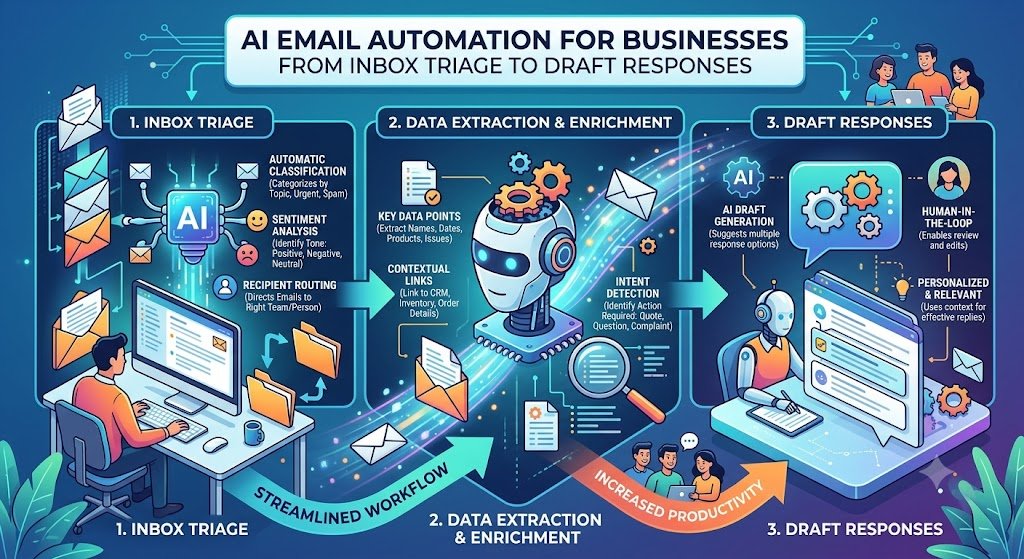
This is where AI email automation changes the economics. AI can read incoming email, classify it (sales, support, invoice, spam, internal), extract relevant information (customer name, order number, invoice amount), route it to the right team, and even draft a response grounded in your knowledge base. Humans then review, edit, and send—or approve the draft with one click.
The benefits are measurable: faster response times, fewer missed emails, reduced manual triage effort, and better visibility into what is actually happening in the inbox. For Indian businesses, where email is still the primary channel for B2B communication, invoices, and vendor coordination, this is a significant operational improvement.
India adds specific considerations. DPDPA applies to email content that contains personal data—and almost all business email does. MeitY AI governance applies if AI drafts or sends responses. GST invoices arriving by email need accurate extraction. And Indian business email behaviour—WhatsApp often supplements email, vendors send invoices as attachments, and emails may be in English, Hindi, or regional languages—shapes how the system must work.
This guide is written for Indian operations heads, support leaders, founders, and IT managers evaluating email automation. We will cover the triage architecture, the classification models, the draft response generation, real costs in rupees and dollars, DPDPA compliance, and a phased implementation framework with clear go/no-go gates.
What AI Email Automation Actually Does
Email automation spans a spectrum from simple rules to full AI assistance. Understanding the layers helps scope the investment.
The Layers of Email Automation
1. Rule-based filtering. Simple rules: "If subject contains 'invoice', move to invoices folder." Fast and cheap, but brittle.
2. Classification. AI classifies each email into categories: sales enquiry, support request, invoice, complaint, spam, internal. More flexible than rules.
3. Extraction. AI extracts structured data from the email and attachments: customer name, company, order number, invoice amount, GSTIN, requested action.
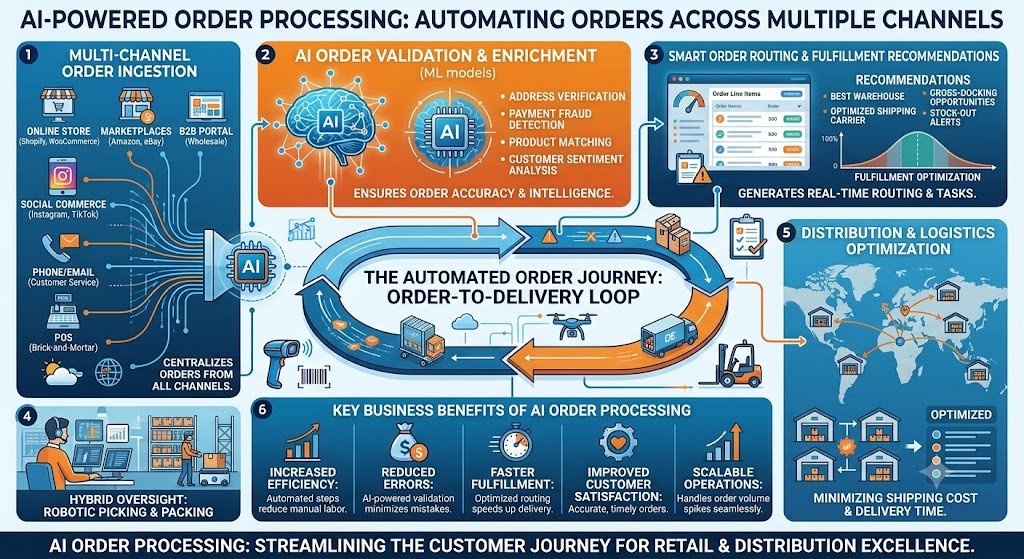
4. Routing. Based on classification and extraction, the email is routed to the right team, person, or queue.
5. Draft response. AI generates a draft response grounded in your knowledge base (RAG), which a human reviews and sends.
6. Auto-response. For simple, well-understood cases, AI sends the response automatically (with guardrails).
7. Follow-up and SLA. The system tracks response times, escalates overdue emails, and follows up on unanswered threads.
The Automation Spectrum Table
| Layer | What It Does | Human Involvement | Complexity |
|---|---|---|---|
| Rule filtering | Sort by keywords | None | Low |
| Classification | Categorise by intent | Review | Medium |
| Extraction | Pull structured data | Review | Medium |
| Routing | Assign to team | None | Medium |
| Draft response | Generate reply | Review and send | High |
| Auto-response | Send reply | None (guardrails) | High |
| Follow-up | Track and escalate | None | Medium |
For teams building the AI models and integrations, our AI Development and NLP Solutions practices cover the full stack.
Inbox Triage: Classification and Prioritisation
Triage is the first and highest-value step. Before you can route or respond, you need to know what the email is.
The Classification Categories
Categories depend on the business, but common ones include:
Sales enquiry: potential customer asking about products, pricing, or demo.
Support request: existing customer reporting a problem or asking for help.
Billing/invoice: invoice, payment confirmation, or billing query.
Complaint: dissatisfied customer, escalation risk.
Vendor: supplier communication, PO, delivery.
Internal: employee communication.
Spam/phishing: unsolicited or malicious.
Other: anything that does not fit.
Classification Approaches
1. Rule-based. Keyword and sender-based rules. Fast but brittle.
2. Traditional ML. Train a classifier (logistic regression, SVM) on labelled emails. Better than rules but requires labelled data.
3. LLM-based. Use a large language model to classify emails with a prompt. Flexible, handles nuance, no training data required.
Recommendation: Start with LLM-based classification for flexibility, then add rules for high-confidence cases to reduce cost.
Prioritisation
Classification tells you what the email is. Prioritisation tells you how urgent it is.
Priority signals:
Customer tier: enterprise customers may be higher priority.
Sentiment: negative sentiment (complaint) may be higher priority.
SLA: emails approaching SLA breach are higher priority.
Keywords: "urgent", "escalation", "legal" are higher priority.
Thread age: older unanswered threads are higher priority.
Classification Table
| Category | Typical Action | Priority |
|---|---|---|
| Sales enquiry | Route to sales, draft response | High |
| Support request | Route to support, draft response | High |
| Billing/invoice | Extract data, route to finance | Medium |
| Complaint | Route to senior support, escalate | Very High |
| Vendor | Route to procurement | Medium |
| Internal | Route to employee | Low |
| Spam | Quarantine | None |
Draft Responses: AI That Writes the First Draft
Draft generation is where AI adds the most visible value. Instead of writing every response from scratch, the human reviews and edits an AI-generated draft.
The Draft Generation Process
1. Context gathering. The system gathers context: the email thread, customer history (from CRM), relevant knowledge base articles, and past similar responses.
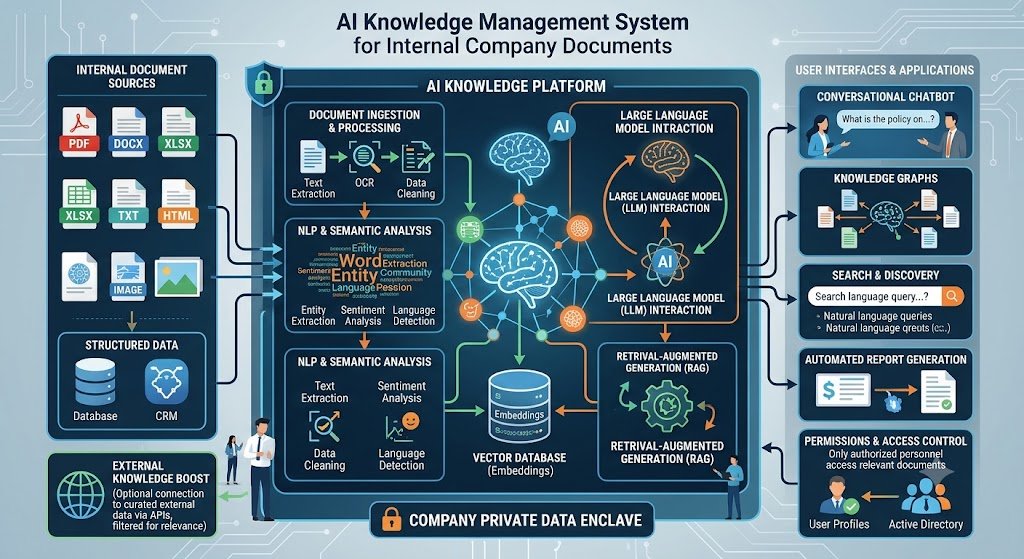
2. Retrieval (RAG). The system retrieves relevant passages from your knowledge base—product documentation, policies, FAQs—to ground the response.
3. Draft generation. The LLM generates a draft response, grounded in the retrieved context and tailored to the customer and situation.
4. Citation. The draft includes citations to the source documents, so the human can verify accuracy.
5. Human review. The human reviews the draft, edits as needed, and sends.
What Makes a Good Draft
Accurate: grounded in your actual policies and knowledge, not invented.
On-brand: matches your tone and style.
Personalised: uses the customer's name, references their specific issue.
Actionable: tells the customer what happens next.
Safe: does not commit to anything the business cannot deliver.
The Human-in-the-Loop
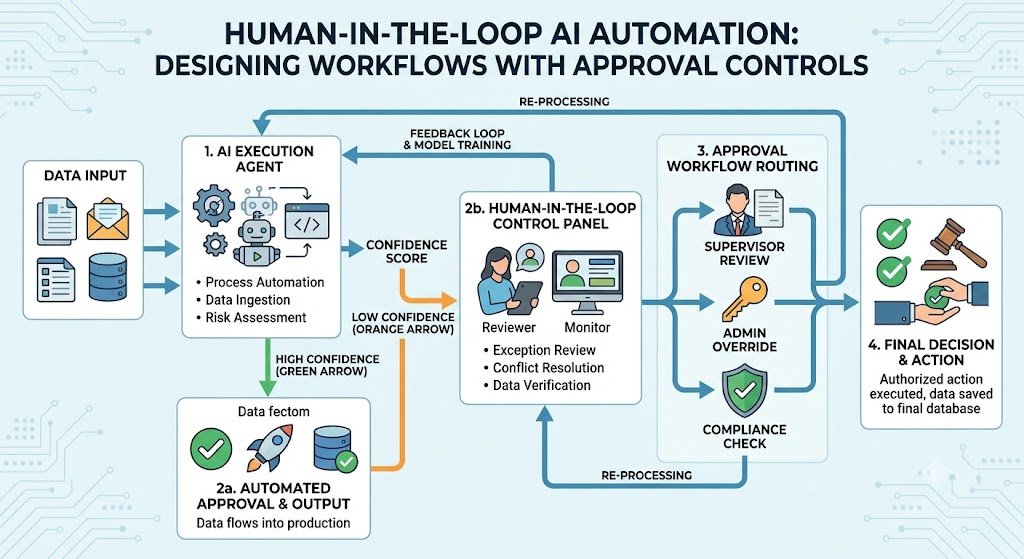
Draft generation should be human-in-the-loop, not fully automated, for most businesses. The human reviews the draft, catches errors, and sends. Over time, as confidence grows, some categories (e.g., simple FAQs) can move to auto-response with guardrails.
Draft Generation Table
| Response Type | Automation Level | Human Role |
|---|---|---|
| Simple FAQ | Auto-response (with guardrails) | Spot check |
| Support response | Draft | Review and send |
| Sales response | Draft | Review and personalise |
| Complaint | Draft (with escalation) | Review, escalate |
| Legal/sensitive | No draft | Human writes |
Integration: CRM, Helpdesk and Knowledge Base
Email automation does not exist in isolation. It integrates with the systems where work happens.
CRM Integration
Customer lookup: identify the sender from the CRM.
Context: pull customer history, past emails, open deals, support tickets.
Logging: log the email and response against the customer record.
Routing: route to the account owner.
Helpdesk Integration
Ticket creation: convert support emails into tickets.
Thread linking: link email replies to existing tickets.
SLA tracking: track response and resolution times.
Status updates: update ticket status based on email.
Knowledge Base Integration
Retrieval: pull relevant articles for draft generation.
Gap detection: flag questions that the knowledge base cannot answer, so content can be created.
Freshness: ensure the knowledge base is current.
Integration Table
| System | Integration Purpose |
|---|---|
| CRM | Customer context, logging, routing |
| Helpdesk | Ticket creation, SLA, status |
| Knowledge base | RAG retrieval, gap detection |
| Calendar | Meeting scheduling from email |
| Billing | Invoice extraction, payment status |
Real Costs in India (2026)
AI email automation costs depend on the scope: triage only, or full draft generation with integrations.
Implementation Costs
| Scope | Cost (₹) | Cost ($ approx.) | Timeline |
|---|---|---|---|
| Classification and routing | ₹2–5 lakh | $2,400–$6,000 | 4–8 weeks |
| Classification + extraction | ₹4–10 lakh | $4,800–$12,000 | 8–14 weeks |
| Full automation (triage + draft + CRM/helpdesk) | ₹10–30 lakh | $12,000–$36,000 | 14–24 weeks |
| Enterprise (multi-language, multi-channel, analytics) | ₹30–70 lakh | $36,000–$84,000 | 24–36 weeks |
Running Costs
| Component | Monthly Cost (₹) | Monthly Cost ($ approx.) | Notes |
|---|---|---|---|
| LLM API | ₹10,000–₹60,000 | $120–$720 | Scales with email volume |
| Hosting | ₹5,000–₹30,000 | $60–$360 | Cloud infrastructure |
| Email API | ₹2,000–₹15,000 | $24–$180 | Gmail/Outlook API |
| Maintenance | ₹15,000–₹60,000 | $180–$720 | 15–25% of build annually |
The ROI Case
For a team of 10 support agents handling 5,000 emails/month:
Manual time per email: 3 minutes = 250 hours/month.
Time saved with AI drafts: 40% = 100 hours/month.
Cost saving: 100 hours × ₹500/hour = ₹50,000/month.
Annual saving: ₹6 lakh.
Payback: 6–12 months on a ₹5–15 lakh implementation.
Plus, faster response times improve customer satisfaction and reduce churn.
India-Specific Compliance: DPDPA and MeitY
DPDPA
Emails contain personal data: names, email addresses, phone numbers, and often more sensitive information in the content.
Key requirements:
Consent: customers must consent to their data being processed for the purpose it was collected (e.g., support).
Purpose limitation: email data used for support should not be repurposed for marketing without consent.
Data minimisation: process only the data needed for the task.
Retention: define retention periods for emails and drafts.
Access control: restrict access to email data based on role.
MeitY AI Governance
If AI drafts or sends responses:
Transparency: customers should know when a response is AI-generated (or AI-assisted).
Accountability: a named owner for AI-generated responses.
Human oversight: human review before sending (except for low-risk auto-responses).
Quality monitoring: monitor draft quality and accuracy.
Compliance Checklist
| Requirement | Implementation | Priority |
|---|---|---|
| Consent for processing | Privacy notice | High |
| Purpose limitation | No marketing use without consent | High |
| Data minimisation | Process only needed fields | Medium |
| Retention policy | Automated purge | Medium |
| Access control | Role-based access | High |
| AI disclosure | Disclose AI assistance | Medium |
| Human review | Review before sending | High |
Implementation Framework: A Phased Approach With Cost Gates
Phase 1: Inbox Audit (Week 1–2)
Objective: Understand current inbox volume, categories, and pain points.
Activities:
Measure email volume by category.
Measure response times and SLA breaches.
Identify pain points: which emails take longest, which are missed.
Assess data quality: CRM and knowledge base completeness.
Cost: ₹50,000–₹1.5 lakh ($600–$1,800).
Go/No-Go: Categories identified. Business case validated.
Phase 2: Classification and Routing (Week 3–8)
Objective: Automate email classification and routing.
Activities:
Implement LLM-based classification.
Configure routing rules.
Integrate with shared inbox (Gmail/Outlook).
Set up priority scoring.
Monitor classification accuracy.
Cost: ₹2–5 lakh ($2,400–$6,000).
Go/No-Go: Classification accuracy >90%. Routing works.
Phase 3: Extraction and Integration (Week 9–16)
Objective: Extract structured data and integrate with CRM/helpdesk.
Activities:
Implement extraction (customer name, order, invoice).
Integrate with CRM.
Integrate with helpdesk for ticket creation.
Log emails against customer records.
Cost: ₹2–5 lakh ($2,400–$6,000).
Go/No-Go: Extraction accurate. Integration works.
Phase 4: Draft Generation (Week 17–24)
Objective: Generate draft responses grounded in knowledge base.
Activities:
Implement RAG for knowledge retrieval.
Configure draft generation prompts.
Build review interface.
Implement citation.
Train team on review workflow.
Cost: ₹6–20 lakh ($7,200–$24,000).
Go/No-Go: Drafts accurate and useful. Human review efficient.
Phase 5: Optimization (Ongoing)
Objective: Improve continuously.
Activities:
Monitor draft quality.
Identify knowledge gaps.
Add auto-response for simple categories.
Optimize routing.
Cost: ₹15,000–₹60,000/month ($180–$720).
Phase Summary Table
| Phase | Duration | Key Deliverable | Cost (₹) | Go/No-Go Criteria |
|---|---|---|---|---|
| 1. Inbox Audit | 2 weeks | Volume, categories | 50,000–1.5 lakh | Business case |
| 2. Classification | 6 weeks | Classification, routing | 2–5 lakh | Accuracy >90% |
| 3. Extraction | 8 weeks | Extraction, integration | 2–5 lakh | Accurate extraction |
| 4. Draft Generation | 8 weeks | AI drafts | 6–20 lakh | Drafts useful |
| 5. Optimization | Ongoing | Continuous improvement | 15,000–60,000/month | Quality improving |
Risks, Pitfalls, and Governance
The Most Common Email Automation Failures
Inaccurate classification. Emails routed to the wrong team. Mitigation: Monitor accuracy, human override.
Hallucinated drafts. AI invents policies or facts. Mitigation: RAG grounding, citation, human review.
Data privacy violations. Personal data processed without consent. Mitigation: Consent, purpose limitation, access control.
Over-automation. Auto-sending responses that damage customer relationships. Mitigation: Human-in-the-loop, guardrails.
Poor knowledge base. Drafts are only as good as the knowledge base. Mitigation: Maintain and update knowledge base.
No feedback loop. The system does not improve. Mitigation: Human corrections feed back into the model.
Risk Summary Table
| Risk | Likelihood | Impact | Mitigation |
|---|---|---|---|
| Inaccurate classification | High | Medium | Monitor, override |
| Hallucinated drafts | Medium | High | RAG, citation, review |
| Privacy violations | Medium | Critical | Consent, access control |
| Over-automation | Medium | High | Human-in-loop |
| Poor knowledge base | High | High | Maintain KB |
| No feedback loop | High | Medium | Feedback mechanism |
Benchmark Summary and Decision Framework
Decision Matrix: Build vs Buy
| Factor | Build Custom | Buy Email AI Tool |
|---|---|---|
| Unique workflow | Complex, industry-specific | Standard email |
| Integration | Custom CRM/helpdesk | Standard connectors |
| Cost | Higher upfront | Subscription |
| Time to market | 14–24 weeks | Weeks |
| Best for | Large enterprises | Mid-sized teams |
Automation Priority Table
| Email Type | Automation Level | Human Role |
|---|---|---|
| Spam | Auto-quarantine | None |
| Simple FAQ | Auto-response | Spot check |
| Support | Draft | Review and send |
| Sales | Draft | Review and personalise |
| Complaint | Draft + escalate | Review, escalate |
The One-Paragraph Decision Rule
If your inbox is overwhelming, start with classification and routing—these are cheap and immediately reduce triage effort. Add extraction for invoices and structured data. Add draft generation only when your knowledge base is good enough to ground responses. Keep humans in the loop for anything that affects customer relationships. And ensure DPDPA compliance—consent, purpose limitation, retention—from the start.
Frequently Asked Questions
1. How much does AI email automation cost in India?
Classification and routing costs ₹2–5 lakh ($2,400–$6,000). Classification + extraction costs ₹4–10 lakh ($4,800–$12,000). Full automation with drafts costs ₹10–30 lakh ($12,000–$36,000).
2. What is inbox triage?
Inbox triage is the process of classifying and prioritising incoming emails—deciding what each email is, how urgent it is, and who should handle it.
3. Can AI draft responses accurately?
Yes, if grounded in your knowledge base (RAG) and reviewed by humans. Accuracy depends on the quality of the knowledge base and the review process.
4. How does AI classify emails?
AI uses LLM-based classification, traditional ML, or rule-based approaches to categorise emails by intent (sales, support, invoice, complaint, etc.).
5. What is RAG in email automation?
RAG (Retrieval-Augmented Generation) retrieves relevant passages from your knowledge base and inserts them into the prompt so the AI drafts a response grounded in your actual policies and content.
6. How does DPDPA affect email automation?
Emails contain personal data. Consent, purpose limitation, data minimisation, retention policies, and access control apply.
7. Should AI auto-send responses?
Only for low-risk, well-understood categories with guardrails. For most emails, human review before sending is recommended.
8. How do I integrate email automation with my CRM?
Use email APIs (Gmail, Outlook) and CRM APIs to identify senders, pull context, log emails, and route to the right team.
9. How long does email automation take to implement?
Classification and routing take 4–8 weeks. Full automation with drafts takes 14–24 weeks. Timeline depends on integrations and knowledge base quality.
10. What about emails in Indian languages?
LLMs handle Indian languages reasonably well, but testing with native speakers is essential. For critical communications, human review is recommended.
11. How do I measure email automation success?
Track response time, classification accuracy, draft acceptance rate, SLA compliance, and customer satisfaction.
12. How can Innovative AI Solutions help?
Innovative AI Solutions builds AI email automation for Indian businesses—inbox triage, classification, extraction, routing, draft responses, and CRM/helpdesk integration. Our Delhi-based team handles assessment, implementation, and optimization. Visit https://innovativeais.com to discuss your requirements.
Contact Innovative AI Solutions
Ready to turn your inbox from a bottleneck into an automated workflow?
[One-line supporting sentence.]
Contact Information
Innovative AI Solutions
📍 Netaji Subhash Place, Pitampura, Delhi – 110034
🌐 Website: https://innovativeaislabs.com 📧 Email: info@innovativeais.com
📞 Phone: +91 7464 099 059 / +91 96899 67356
Business Services
AI Automation
AI Development
AI Consulting
Machine Learning Solutions
Deep Learning Solutions
Generative AI Services
NLP Solutions
AI Agents
AI Chatbots
Voice AI
CRM Development
Custom Software Development
Website Development
Mobile App Development
About the Author
Abhishek Kumar
Founder & CEO, Innovative AI Solutions
5+ years building production AI systems for Indian businesses. Based in Delhi, serving clients across India.
Ready to build AI solutions for your business?
Innovative AI Solutions — Delhi's leading AI development company. Free consultation available.
Get Free Consultation →
A practical 2026 guide for Indian businesses automating email with AI—inbox triage, classification, extraction, draft responses, CRM and helpdesk integration, real rupee costs, and DPDPA compliance.
#AIEmailAutomation #InboxTriage #EmailClassification #DraftResponses #SharedInbox #CustomerSupportAI #RAG #EmailParsing #InvoiceExtraction #DPDPA #MeitY #Gmail #Outlook #WorkflowAutomation #DelhiNCR #InnovativeAISolutions
Copyright ©️ 2015–2026 Innovative AI Solutions. All Rights Reserved. | Privacy Policy | Terms & Conditions